
Commodity trading
Property & interiors
Project galleries by location and type, downloadable brochures, a quote request form and unit availability you update yourself. For developers, contractors, architects and interior studios whose clients check a track record before they sign anything.
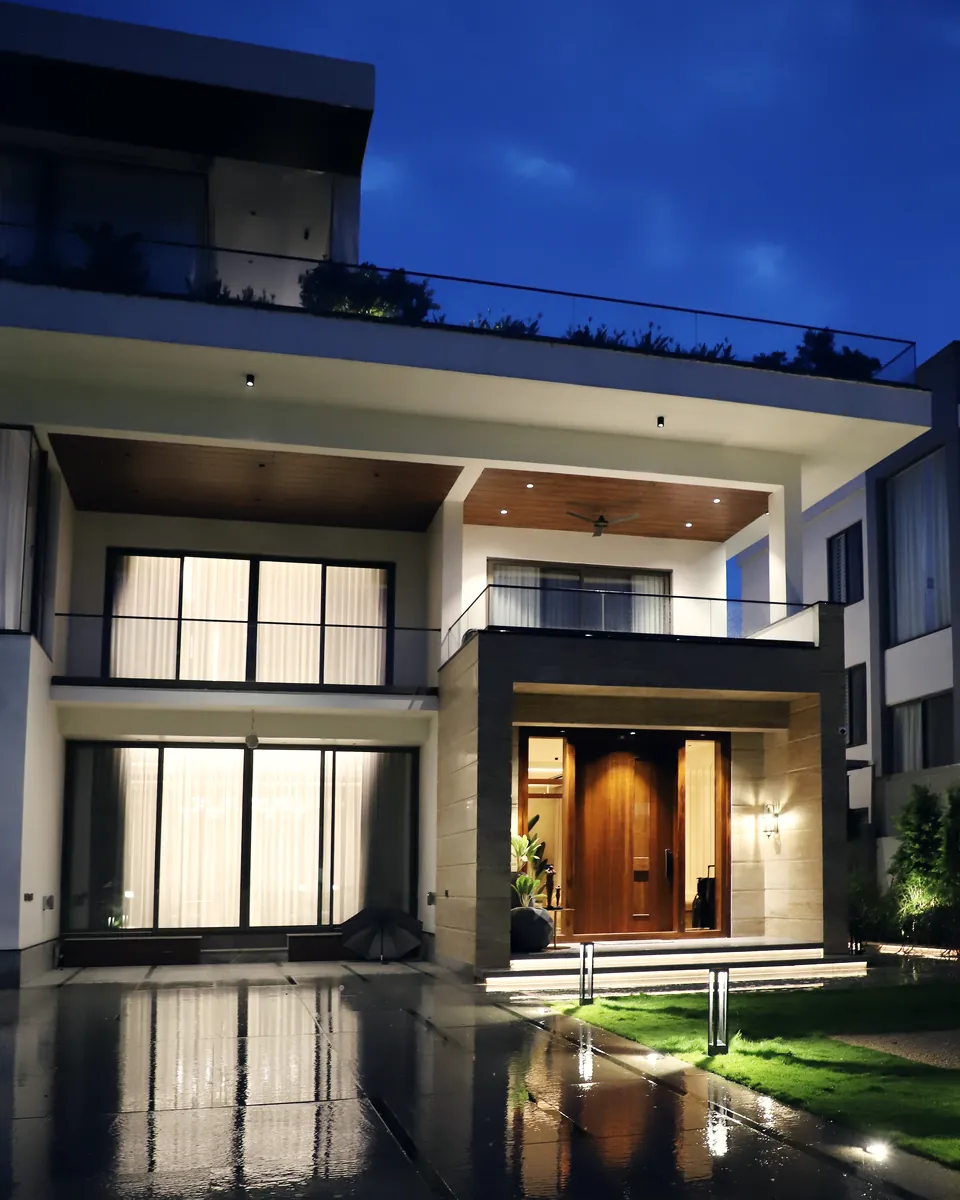
Buying a home, fitting out an office or redoing an apartment interior is a big decision. A handful of Instagram posts isn't enough. Clients want to see what you've built, where, how long it took and whether your company is properly licensed.
NextTML is a Jakarta web studio that builds websites for residential developers, building and renovation contractors, architects and interior design studios. Each project gets its own page with photos, location, floor area, scope of work and completion year. Visitors can filter by project type, such as homes, offices or retail spaces, and ask for a quote from the same page. If many of your clients are expats, the site can run in English and Indonesian.
For developers, the website becomes the official source your marketing team can share: unit types, floor plans, specifications, legal status such as land certificates and building approval (PBG), and construction progress. The brochure can be downloaded once a visitor leaves a name and WhatsApp number, so your sales team knows who to follow up with.
For most contractors, architects and interior studios, we recommend a company profile website on the Business plan: 5–7 pages, an admin panel to add projects yourself, WhatsApp integration, advanced SEO and a free domain and hosting for one year. It usually takes 1–2 weeks. Developers with several estates, an interactive site plan or a system for sales agents are a better fit for the Enterprise plan or a web application.
01
Clients want finished work, not just 3D renders. Photos of the completed space, the location and the year make your portfolio far easier to believe.
02
A message asking what a kitchen renovation costs can't be answered without room size, location and a budget range. Your team spends time asking before they can give a number.
03
Different versions of the PDF brochure circulate on WhatsApp, and old price lists keep getting forwarded. Buyers can't tell which one is current.
04
Units sell, a type runs out, a new phase opens. If the website doesn't keep up, your sales team spends every day correcting it.
05
Home buyers ask about land certificates and building approvals. Project owners ask about your business registration (NIB), construction certification and similar past work. It all lands better written down in one place.
Each project has a page with photos, location, floor area, scope and completion year. Filters by project type help clients find work close to what they need.
The form asks for the type of work, location, size, budget range and photos of the current space. What lands in your email and WhatsApp is complete enough to answer.
Brochures or PDF catalogues unlock once a visitor leaves a name and WhatsApp number. Those details are saved in the admin panel for your sales team to follow up.
Unit pages with floor plans, specifications and an available, reserved or sold status you change yourself. An interactive site plan and unit reservations are built as custom features.
Photos and short progress notes, uploaded from the admin panel whenever you have them. For buyers waiting on handover, it's proof the work is moving.
A simple calculator that estimates monthly instalments from price, down payment, loan term and interest rate. It's an estimate; the bank makes the final call.
This structure is a starting point; we adapt the pages and their order to your business.
/
Featured projects, main services and buttons to request a quote or chat on WhatsApp.
/projects
Every project, filterable by type, location and year.
/services
Your scope, such as design, build, renovation or interiors, and how the work runs step by step.
/unit-types
For developers: floor plans, specifications, starting prices and availability.
/about-licences
Company profile, team, NIB, certifications, and bank or supplier partners.
/downloads
Brochures, material catalogues and the current price list.
/contact
Quote form, office or marketing gallery address, map and WhatsApp.
The right package
For the needs above, the Business package is usually enough. We confirm the exact scope in a written quote after the consultation.
Service
Your company's official website: who you are, what you do and how to reach you. Built for small businesses, service firms and larger companies that need to look credible when prospects look them up.
See company profile website
Commodity trading
A simple company profile site usually takes 1–2 weeks, an online store 2–4 weeks. For web applications we send a written schedule after the consultation.
We talk about your business, what the website should do and your budget. Free, over WhatsApp or a video call.
1 day
We plan the page structure and the design. You give feedback before any code is written.
3–5 days
The approved design becomes a working website, with an admin panel if your plan includes one.
depends on scope
You try everything on a test address. Once it is right, we connect the domain, HTTPS and sitemap.
2–4 days
We fix bugs and answer questions for the support period of your plan.
1–12 months
Something else? Ask us on WhatsApp. We reply the same day during working hours.
Ask on WhatsAppA developer with one estate and a few unit types is usually well served by the Business plan. If you run several estates, want an interactive site plan showing each plot's status, or need a portal for sales agents, that's Enterprise or a web application. We'll help you sort it out in the free consultation.
Not if they're handled properly. We compress photos into a lighter format and load them as visitors scroll. Before launch we check page speed on mobile with Lighthouse.
Yes, from the Business plan. In the admin panel you upload photos, write the project details and pick a category. The project appears in the gallery straight away.
Renders can sit alongside photos of the finished work, clearly labelled as visualisations. Videos or 360-degree tours you already have, on YouTube for example, can be embedded on project or unit pages. We don't produce renders or virtual tours ourselves.
A company profile site with a project gallery usually takes 1–2 weeks once your project photos, company profile and licences are ready. Custom features such as an interactive site plan take 2–4 weeks. A system for sales agents is a web application, and we send a written schedule after the consultation.
Free, no strings attached. We reply the same day.